Their art, in their words.
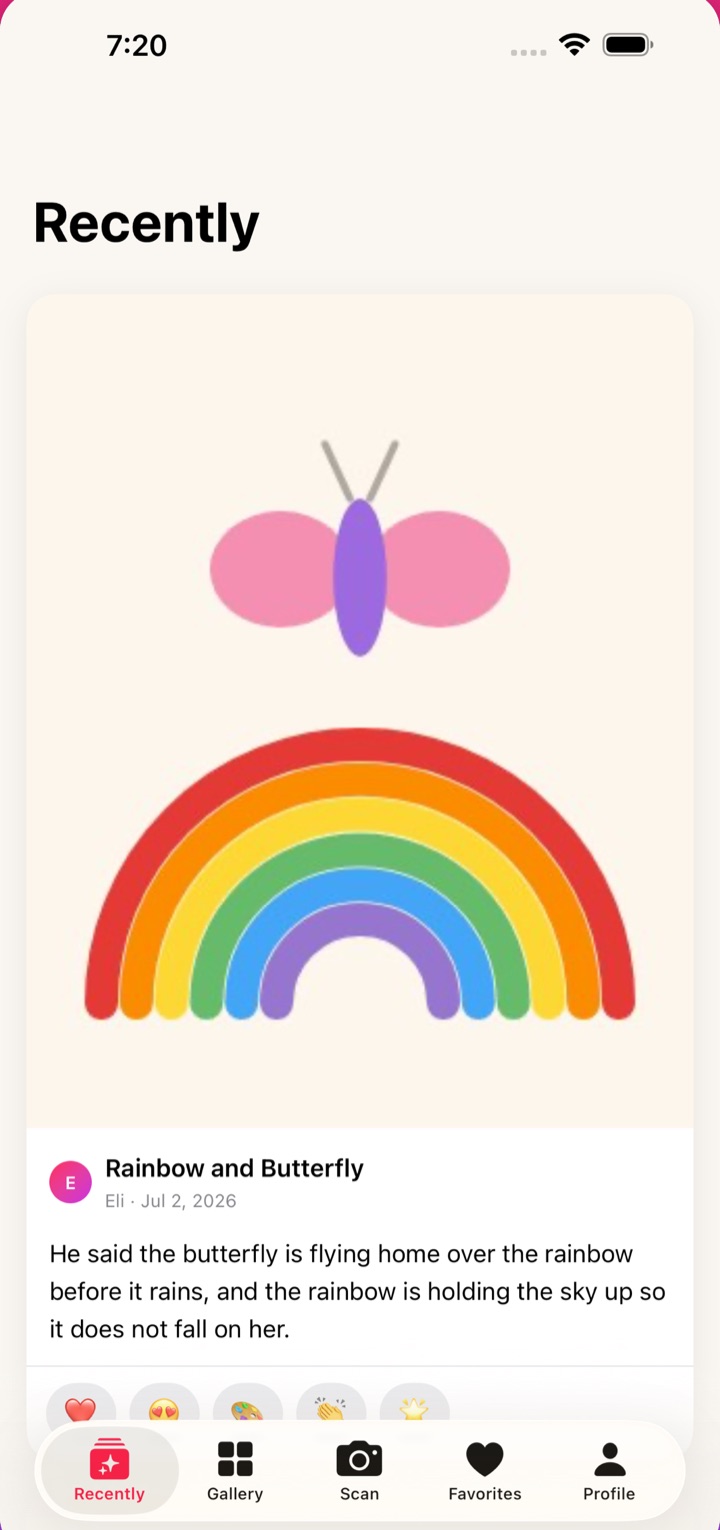
Scan the drawing, write down what your kid said about it, and share both with the family. Grandparents can react and reply.
Free for your first 50 artworks. No credit card.
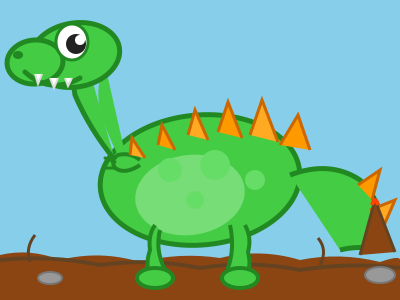
“It’s a rainbow dinosaur that eats sunshine. Only in the morning.”
Emma, 5 years 2 months
Grandma: What does he eat at night?
Do it while they’re still telling you about it
The drawing lasts on the fridge. What they said about it is gone by next week.
Scan it
The camera finds the page, crops it, and squares it up. Or pick a photo you already took.
Write down what they said
A sentence is plenty. If you are stuck, the app suggests what to ask. Skip it and come back later if you need to.
Share it
It lands in your family’s feed with the story attached, dated, with your kid’s age worked out for you.
A feed for the people who actually want to see it
Grandma doesn’t need another group text. She needs the drawing and the sentence that goes with it.
- Family sees each piece as it’s savedGrandparents and co-parents get the artwork and the story together.
- They react and commentSo a drawing starts a conversation instead of sitting in a folder.
- Kids never need accountsYou make a simple artist profile for each child. A name is enough.
- Invite onlyFamily joins with a short code. There is no public feed and no strangers.
What KidCanvas isn’t
A few things people assume, and a name mix-up worth clearing up.
- A filing cabinet
- Archive apps scan, sort, and store. KidCanvas keeps what your kid said, and searches it. Type “dinosaur” a year from now and find the drawing by the story.
- Public
- Nobody sees your family’s gallery unless you invite them. No ads, no trackers in the app.
- An AI product
- Nothing runs AI on your children’s artwork, and it is never used for training.
- CanvasKids, or Kid Canvas Art Studio
- Those are different apps from different developers. On the App Store, look for KidCanvas, one word, in Lifestyle, or use the direct link.
Pricing
Every plan gets every feature. The paid plan removes the limits.
Free
$0
Free for good, no card needed.
- 50 artworks
- 1 artist profile
- 1 family
- A story on every artwork, in their words
- Family reactions and comments
- Collections and albums
Family
$4.99 /month
or $49.99 a year, about two months free.
- Unlimited artworks
- Unlimited artist profiles
- 1 family
- A story on every artwork, in their words
- Family reactions and comments
- Collections and albums
Questions
Is it really free?
Yes. Your first 50 artworks are free for good, with stories, reactions, comments, collections, and sharing. Paid plans raise the limits. No credit card required.
Do I need the iPhone app?
No. The web app works on phones, tablets, and computers. The iPhone and iPad app is on the App Store at https://apps.apple.com/us/app/kidcanvas/id6757280447, and scanning is easier there: it finds the page, crops it, and squares it up for you.
Is KidCanvas the same as CanvasKids or Kid Canvas Art Studio?
No. They are separate apps from different developers with similar names. KidCanvas (one word, by Benjamin Siegel) is for parents: scan your child's artwork, write down what they said about it, and share both in a private family feed where grandparents react and comment. We never run AI on your children's artwork. On the App Store, look for KidCanvas in the Lifestyle category.
Can grandparents see the stories too?
Yes. Invite them with a short code and they see every new piece with its story, and can react or comment. You can also send a single artwork as a link that opens without an account.
What if I forget to write the story?
Save the artwork anyway and add the story later from the artwork page. On iPhone the app asks while you are still there, with prompts if you are not sure what to ask. That is usually when you remember what they said.
What happens to my photos?
Your artwork is stored in our cloud so every device in the family can see it. We never share it, and it is never used for AI training. You can delete any artwork, or your whole account and everything in it, whenever you like.
What if I cancel?
You drop back to the free plan. Everything you already saved stays put.
Built by a parent whose fridge ran out of room
KidCanvas is new, so there are no reviews to show you yet. Try it with the next drawing that comes home. The first 50 are free, and you can delete everything whenever you like.